Assets are used as equipment that fuel was used in, this allows you to allocate usage to the correct asset.
|
Navigate to Fuel in the App.
- Click the Set Up button to add equipment, users or tasks.
- Navigate to the tank you wish to set up your assets for.
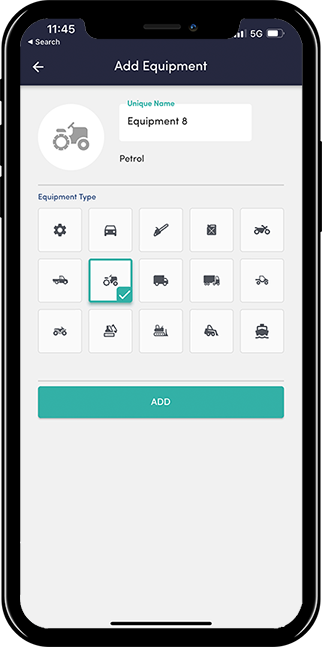
- Click the Add + icon in the bottom right corner. Give your new asset a name, ie the number plate, or vehicle make.
- Select an icon that best represents that asset.
- Click Add.
Your new equipment should now be in your equipment list.
|
 |
Watch a short how to video here
Also see: How to allocate Fuel withdrawals